Overstory: operator experience for Arbora
See the work. Guide the agent. Explore the evidence.
Overstory brings conversations, governed actions, workflows, fleet activity, and epistemic knowledge into one role-aware browser workspace.
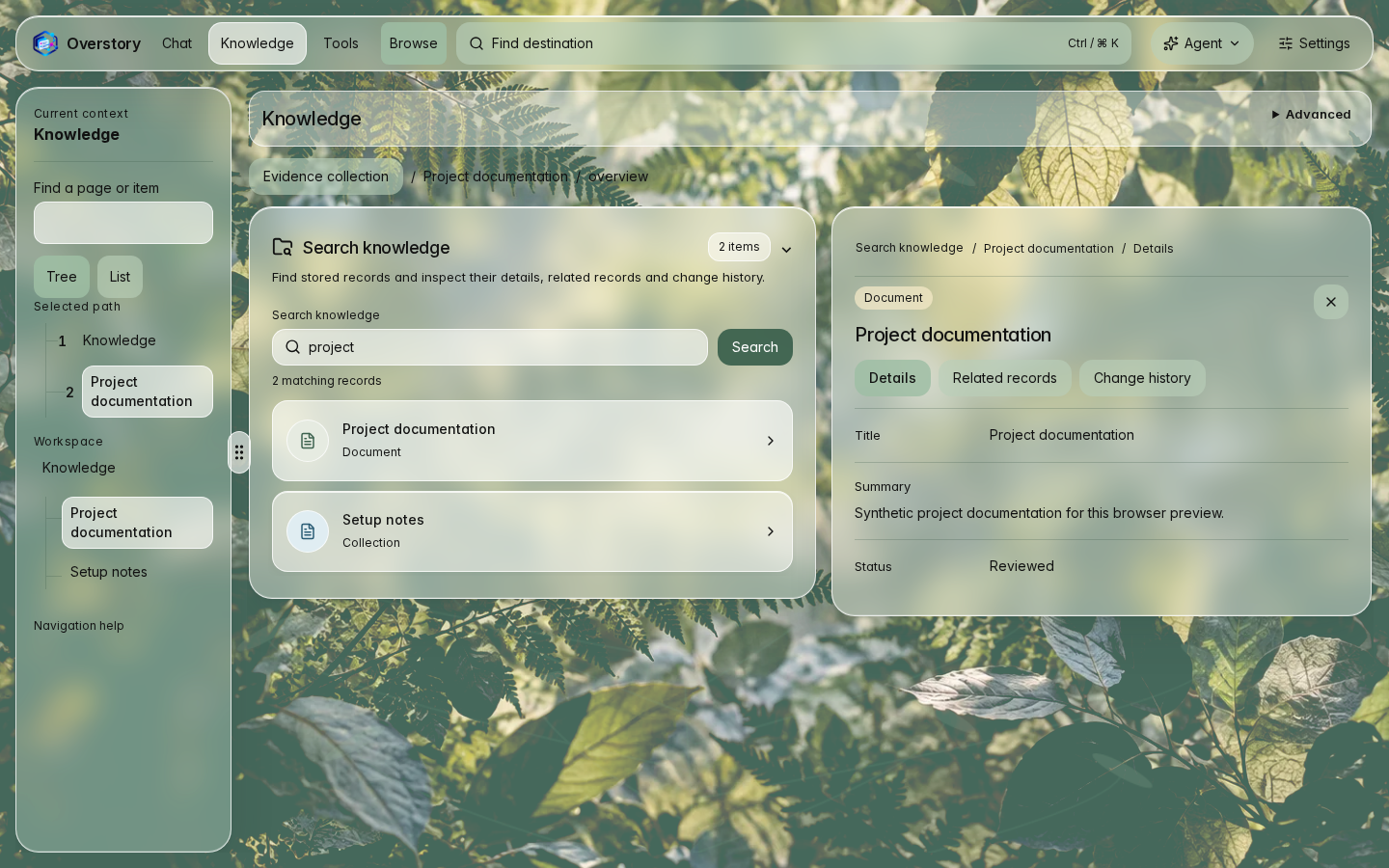
Canopy light with synthetic demo data and the persistent assistant. Open Appearance to choose Canopy light or dark and Glass or Opaque framing. See the workspace gallery and screenshot refresh guide.
One interface, explicit authority
Choose the operator's path
Try it
Install the Overstory integration, start one local composition, and open the browser workspace.
Understand it
Follow one request from the browser through Arbora to agents, knowledge, and connector effects.
Operate it
Apply identity, origin, host, content-security, image-promotion, and rollback controls.
What operators can do
- Hold agent conversations with sources, tool activity, and approval prompts.
- Build workflows and inspect active sessions, goals, schedules, and fleet health.
- Use Understory to move between graph, RDF, schema, object, table, document, code, and memory views.
- Discover MCP Apps and connector capabilities through the Arbora boundary.
- Apply the same role-aware navigation and server authorization model across the complete workspace.
Request flow
-
Interact
The operator chats, explores knowledge, approves an action, or runs a workflow.
-
Govern
The same-origin WebUI host and Arbora verify identity, route the request, and apply policy.
-
Run
agent-utilities runs agent behavior while epistemic-graph and connector services perform their owned operations.
-
Observe
Typed events, evidence, and governed results return to the browser without service credentials crossing the boundary.
Explore the interface
- Understory workspace — guided and expert knowledge exploration.
- Capability Workbench — discover, preflight, invoke, and follow governed capabilities.
- Agents and events — event types, routing, and graph activity.
- Feature reference — browser configuration and WebUI-owned API surfaces.
- Ecosystem map — the five repositories and their exact ownership.
Specification delivery
Open the specification delivery dashboard for current specification status, delivery timelines, velocity and burndown, and open pull request and issue snapshots. It refreshes with each main-branch push. Unknown completion dates and unavailable history are labeled explicitly; individual requirements and pull requests do not count as completed specifications.