Native terminal gallery
These six captures come from the compiled Rust/Ratatui tuig executable.
The Canopy theme is shown at 100 columns by 40 rows. Each SVG preserves the
terminal cells captured through a real pseudo-terminal (PTY), including colors
and selection. These are generated terminal renders, not desktop screenshots.
All data is synthetic. A loopback fixture supplies public Arbora contract responses. No live backend, provider, credentials, or user data is involved. The images demonstrate native display and navigation, not production execution.
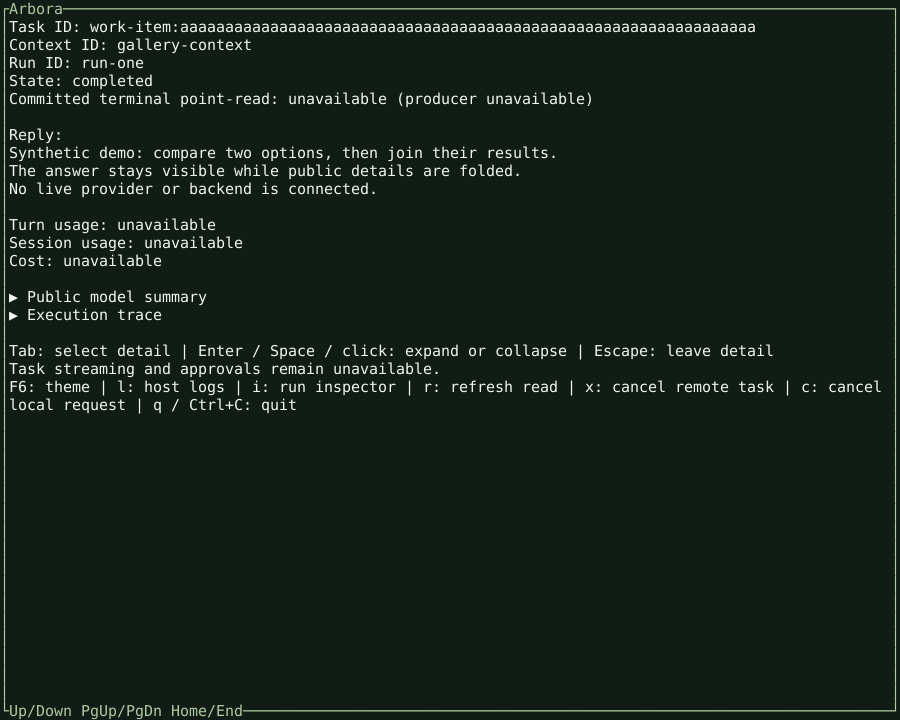
Answer and folded details
The answer stays visible while public model summary and execution trace sections are folded. Task observation does not resume a conversation.
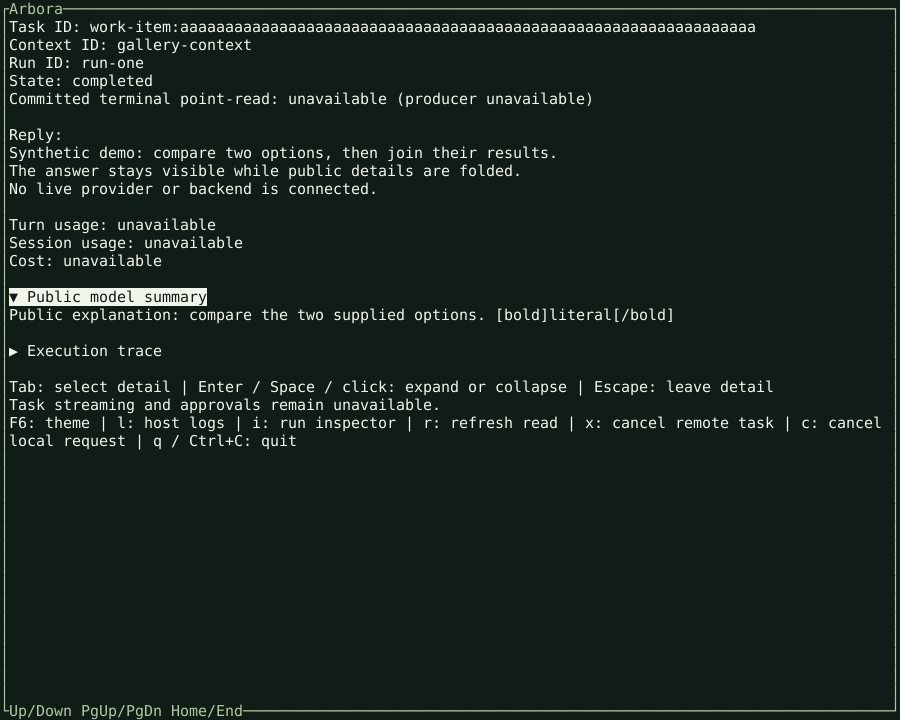
Public model summary
Tab and Enter expand the public summary. This is public explanation supplied by the fixture, not private model reasoning. Markup-like text remains literal.
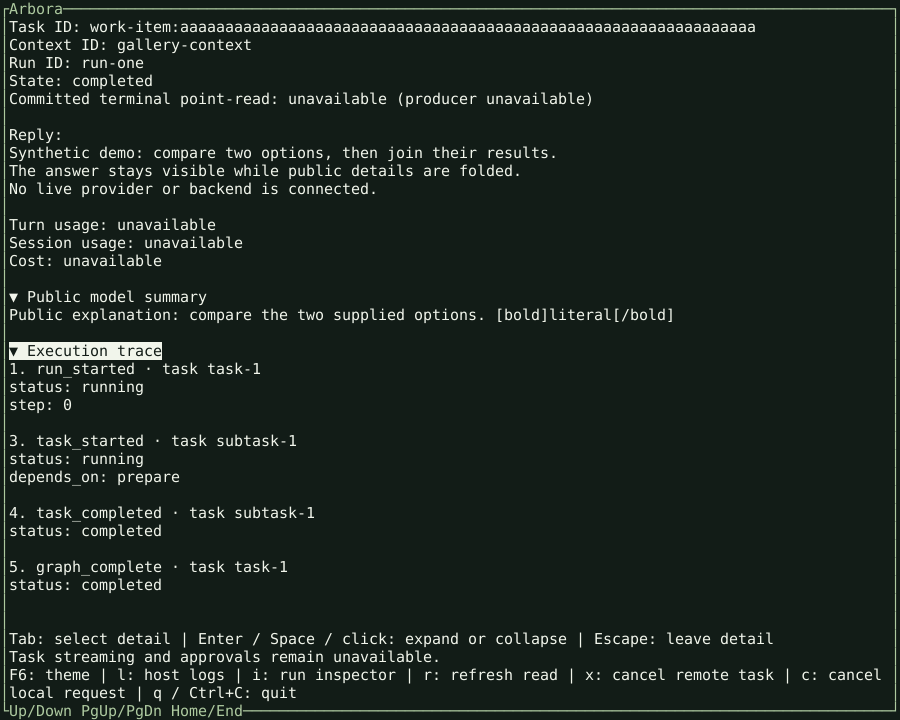
Execution trace
Both detail sections can remain open. The trace displays public event types and status from the fixture; it does not imply live streaming support.
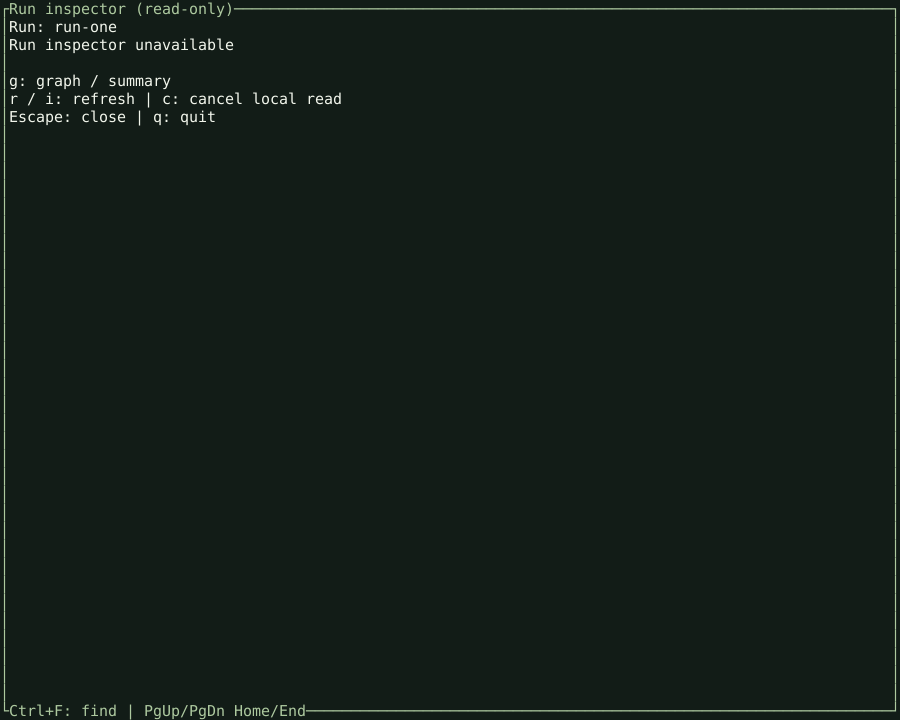
Read-only run inspector
Press i to inspect a run. Operations absent from the fixture registry are
explicitly unavailable rather than replaced with invented results.
Execution graph list
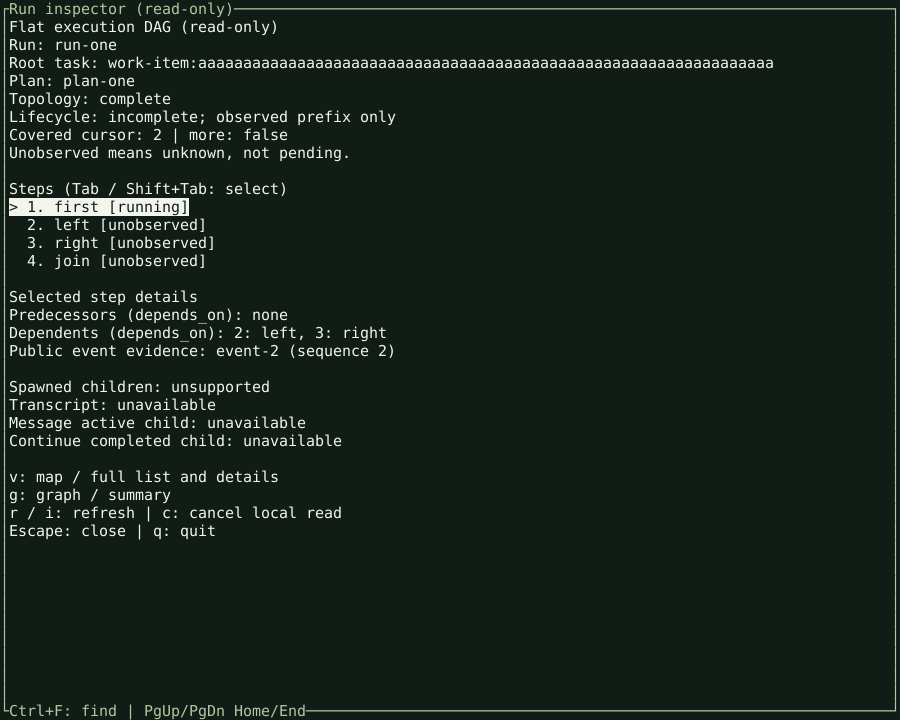
Press g in the inspector to open the graph list. Observed lifecycle evidence
and unobserved plan steps remain distinct.
Spatial dependency map
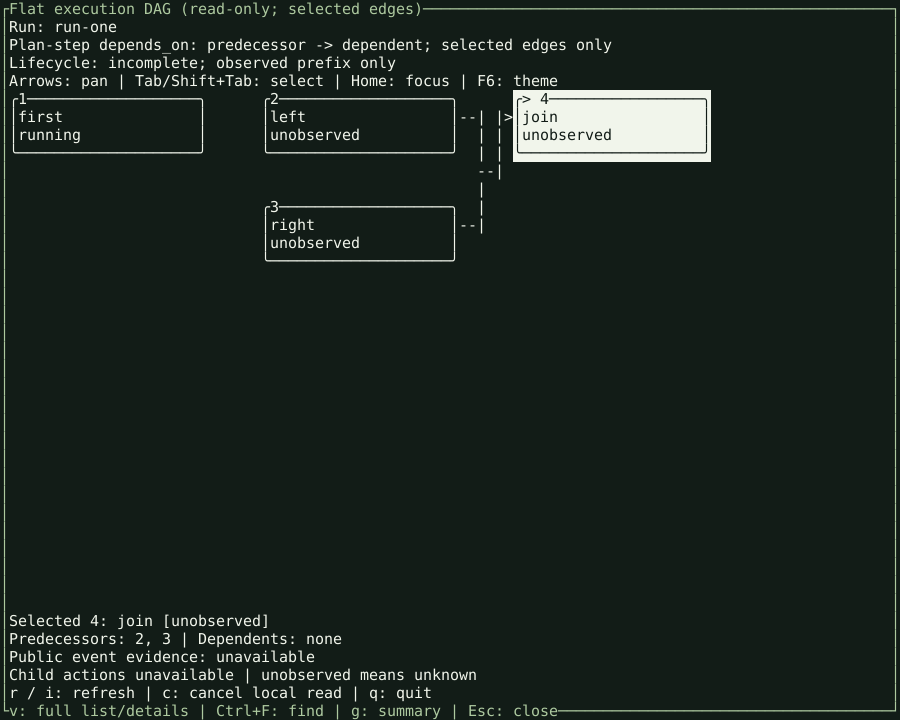
Press v to switch to the spatial view. Shift+Tab selects the join node; the
map identifies its two predecessors. Unobserved nodes are not claimed as running
agents, and a dependency is not a spawned-child relationship.
Capture provenance and reproduction
The binary came from the Linux x86_64 wheel artifact of
CI run 40170765761,
artifact 12590225861. Its source commit is
a8952ff1036fb67900b5d1f24b629d4c85224ac0, merged in the native cutover.
It is a CI artifact, not a newly published release. The
manifest records its SHA-256, fixture hashes,
image hashes, expected screen text, and read-only request paths.
From a developer checkout with the test dependencies installed:
python scripts/capture_native_gallery.py \
  --binary /absolute/path/to/tuig \
  --source-revision <40-character-source-commit>
TUI_NATIVE_TEST_BINARY=/absolute/path/to/tuig \
  python -m pytest tests/test_native_gallery.py
The helper starts a loopback fixture and drives the actual native executable.
It waits for each expected screen and writes the gallery.
It also verifies clean quit and terminal restoration. Python and pyte are capture/test tooling only; there is
no Python frontend or browser UI in this capture path. Font rendering can vary
between SVG viewers; glyph positions and terminal colors come from the capture.
The retired Python/Textual gallery remains only in git history.
Refreshing the gallery
The README embeds docs/assets/native/answer.svg from this gallery. There is no
separate README copy to refresh.
Capture generation and publication are separate steps. The capture command above writes local SVGs and their manifest. The optional native capture test writes to a temporary directory; it does not update committed assets. CI validates fixture and image hashes, but it does not detect every visual change or commit new images. Pages deployment publishes the assets already in the repository.
After a native display change, run the capture helper against the intended native build. Supply that binary's source revision, not an unrelated checkout revision. Review all six views and update the binary provenance above. Commit the SVGs and manifest together. The README then displays the updated answer asset.